

Last updated: October 21, 2026
Quick Answer: AI writing workflow operations help teams publish more content in a controlled process, and the right setup is usually a 3- to 7-step workflow rather than a fully automated system. In AI Writing Workflow Operations: Complete Guide, the core answer is simple: structure the process first, then choose tools that support it. If the job is to publish more content without creating a mess of duplicated drafts, off-brand copy, and broken fact checks, this guide is for the person who has to make the workflow actually run.
Key Takeaways
- AI content operations help teams scale without turning drafts into chaos.
- The best setup depends on volume, review depth, and risk tolerance.
- Separate drafting from validation, then define which steps are optional.
- The tools should speed up production, not decide truth.
What AI Writing Workflow Operations Actually Solve
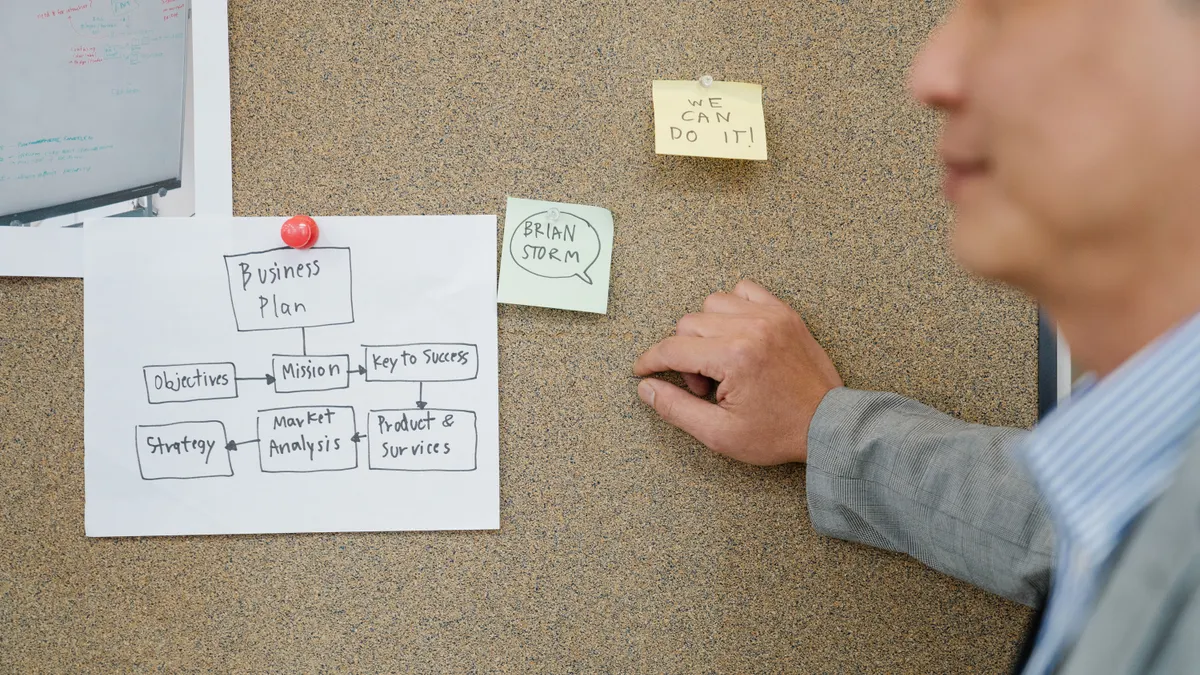
AI writing workflow operations solve the problem of scale without chaos. If you only need one polished page a month, a loose prompt-and-edit routine can work. If you need 20 briefs, 40 drafts, and sign-off from subject-matter experts, then the workflow itself becomes the product.
The real issue is not “Can AI write?” It is “Can the team produce acceptable drafts at the same quality level, with the same review steps, without turning every article into a custom project?” That is where operations matter: intake, prompt routing, draft control, revision tracking, and approval gates.
If a team skips the operational layer, the same failure repeats in different forms. One writer prompts from memory. Another uses a different model. A third copies text into Word and loses the prompt history. The result is not just inconsistency; it is invisible labor. Nobody knows which step created the weak paragraph, the bad citation, or the duplicate headline.
A useful workflow has to answer four questions:
- Who owns the brief?
- Which model or tool handles which task?
- Where does human review happen?
- What gets blocked before publish?
That sounds simple until the team has to do it every day. Then the details matter: version naming, content status, fact-check responsibility, and whether the AI is allowed to touch SEO titles or only first drafts.
This guide is for content teams, editors, operations leads, and solo publishers who want a repeatable system, not a pile of prompts. It is not for anyone looking for a “push button, publish article” setup. That does not exist in a serious workflow, and it should not.
Quick check: if your main pain is inconsistent drafts, unclear ownership, or too many revisions, this section is your path.
Which kind of team needs which setup?
The right setup depends on volume, review depth, and risk tolerance. If the content is low-risk and high-volume, you can use a lighter process. If the content is technical, regulated, or brand-sensitive, you need more gates and fewer automation shortcuts.
| Situation | Best Path | Why Other Options Fail |
|---|---|---|
| Solo creator publishing 2–5 posts a week | Prompt library + one drafting model + manual editing | Full workflow software adds friction faster than it removes it |
| Small marketing team producing 10–30 assets a month | Shared brief template, AI draft stage, human fact-check, final editor review | Ad hoc prompting creates duplicate work and uneven tone |
| Agency with multiple clients | Intake form, client-specific style guide, approval states, reusable prompt blocks | One-size-fits-all prompts ignore client differences and invite rework |
| Editorial team on technical topics | Research-first workflow, source log, SME review, line edits after verification | AI-first drafting increases the odds of unsupported claims |
| Regulated or legal-adjacent content | Restricted model use, mandatory citations, approval audit trail, no autonomous publishing | Speed matters less than traceability and compliance |
The key trade-off is speed versus control. If you want both, you usually get neither. A team using ChatGPT, Claude, Gemini, or Microsoft Copilot can move quickly on outlines and first drafts, but the more sensitive the topic, the more the model should be constrained. For example, Google’s guidance on generative AI use emphasizes human review for accuracy and quality, and Microsoft’s Copilot documentation also notes that outputs should be checked before use. (Source: Google Cloud Microsoft Support)
For many teams, the best starting point is a structured process around the tools already in use, rather than a giant platform. It can be Google Docs or Notion for drafting, a task system like Asana or Trello for status, and a source log for claims. That is enough until volume or review complexity forces something heavier, such as Airtable, Coda, or a custom CMS workflow.
If you are choosing software, look first at where the handoffs break. Some teams need better prompt management. Others need approval states and audit history. Others need source control because the real bottleneck is not writing; it is verification.
Quick check: if your team shares drafts across people, clients, or compliance reviewers, you need a workflow, not just a writing tool.
How do you design the workflow without making it brittle?
Because drafting and validation are different jobs, you design the workflow by separating them first, then deciding which steps are optional and which are not. If every draft must pass through the same seven gates, the process will collapse under its own weight. If there are no gates, the team will publish noise.
Start with a basic sequence that can survive real work:
- Brief intake: define audience, topic, angle, format, and must-include points.
- Source collection: gather primary sources, product docs, standards, or internal notes.
- Outline generation: use AI to propose structure, not final copy.
- Drafting: have the model write section by section, not the whole piece at once.
- Human edit: rewrite weak logic, remove repetition, match house style.
- Fact-check: verify claims, quotes, names, and technical terms.
- Approval: final editorial or stakeholder sign-off before publish.
That 7-step path sounds basic because it is supposed to be basic. The quality comes from control points. The brief should stop bad work before it starts. The source stage should prevent hallucinated claims. The edit stage should catch tone drift. The approval stage should stop last-minute changes from bypassing review.
If you use tools like Notion AI, Grammarly, Jasper, Copy.ai, Writer, or ChatGPT, the workflow still needs an owner. Tool choice does not replace process. In many teams, the mistake is letting the model become the first decision-maker. That creates a draft that sounds plausible and may still be wrong. The NIST AI Risk Management Framework is useful here because it frames AI use around governance and measurable risk, not just output speed.
A strong operational rule is this: AI can draft, but it cannot approve its own claims. Another useful rule: no model-generated paragraph goes live without a human who is accountable for the topic.
The workflow should also define what happens when the draft fails. If the outline is weak, does it go back to intake or get reworked by the editor? If the sources do not support the angle, does the piece get rewritten or killed? A workflow without an exit condition becomes a revision swamp.
That is why brittle workflows fail. They assume every piece behaves like the template. Real work does not. A good process has escape hatches.
Quick check: if your team keeps revising the same draft for different reasons, the workflow is too vague or too rigid.
What the tools should do, and what they should never do
The tools should speed up production, not decide truth. If a platform claims it can replace writers, editors, and fact-checkers in one click, treat that as a warning label, not a feature. In practice, professional guidance from the Associated Press and Reuters both points toward human oversight, especially for accuracy and attribution.
A practical stack usually splits into four roles:
- Drafting models: ChatGPT, Claude, Gemini, or similar LLMs for outlines, first passes, and rewrites.
- Workflow system: Asana, Monday.com, Trello, ClickUp, Airtable, or Notion to track status and ownership.
- Editing layer: Google Docs, Word, or a CMS editor for comments, tracked changes, and final copy.
- Quality layer: style guides, source logs, plagiarism checks, and manual verification.
What the tools should do:
- Store prompts and reusable instructions
- Track draft versions
- Route content to the right reviewer
- Preserve source notes
- Flag missing metadata, such as title, slug, or CTA
What they should not do:
- Invent citations
- Rewrite specialist material without review
- Merge “tone improvement” with factual editing
- Auto-publish without a gate
- Hide model output history
The trade-off here is convenience versus auditability. A tool that makes publishing one click easier may also make it impossible to see who changed what. That is acceptable for casual content. It is a bad idea for brand, product, medical, financial, or legal-adjacent material.
If you are comparing software, the honest question is not “Which one writes best?” It is “Which one fits the control level I need?” A lone creator may value speed and a simple prompt library. A larger team may care more about versioning, permissions, and review steps. A regulated team may need an audit trail more than another 10% of writing speed.
The strongest setup is usually boring. It puts AI in a box, not in charge. That is the point.
Quick check: if you are asking a model to draft from scratch and publish without a human checkpoint, the tool is doing too much.
How do you keep quality high when AI is involved?
You keep quality high by reviewing the right things in the right order. If every reviewer checks everything, nobody checks anything carefully. If nobody owns source accuracy, style and speed become a vanity metric.
The review order should usually be:
- Structure first
- Claims second
- Tone third
- Final formatting last
That order matters. If the structure is wrong, polishing sentences is wasted effort. If the claims are wrong, the piece cannot be fixed by a better headline. If tone is wrong, the content may be correct but still unusable for the brand.
One practical benchmark is whether a subject-matter expert can skim the draft and only edit facts, not rebuild the whole argument. If the SME keeps rewriting the logic, the outline stage failed. If the editor keeps chasing unsupported claims, the research stage failed.
A workable quality system also needs a style reference. That can be a one-page house style guide, a terminology list, or a banned-phrases list. For software content, that often includes product names, capitalization rules, feature labels, and approved descriptions of capabilities. Without that, AI tends to smooth out the exact details that make a draft trustworthy.
If your content includes sources, keep a source log beside the draft. A simple note with the URL, page title, and what the source supports is enough. That does two things: it makes fact-checking faster, and it exposes weak claims early. If a source cannot support a sentence, the sentence should change or disappear. The Poynter Institute has long emphasized verification habits in editorial work, and the same discipline applies here.
The honest limitation is that AI makes mediocre content faster too. It does not create judgment. It also has a tendency to produce text that sounds finished before it is finished. That is dangerous because a draft can read confidently and still be thin, repetitive, or wrong.
For teams under deadline, the answer is not “use less AI.” It is “use AI earlier and review harder.” That means shorter prompts, clearer source constraints, and a formal rejection path when the draft misses the mark.
Quick check: if your review process mostly catches awkward phrasing but misses weak claims, the quality system is backwards.
When does AI writing workflow operations break down?
AI writing workflow operations break down when the content has hidden complexity, multiple approvers, or changing source material. If the draft needs a lawyer, a product manager, and an editor to sign off, the workflow can fail even if the model is competent.
The normal advice breaks down in these cases:
– Situation: source material changes daily, such as product features or policy language.
What changes: the draft becomes a moving target.
What to do instead: keep the source of truth separate from the draft and freeze it at a specific date or version before writing.
– Situation: multiple stakeholders want to “just tweak the wording.”
What changes: version control becomes the real job.
What to do instead: set a single approver and a change log, even if that feels slower.
– Situation: the content must be accurate to a standard, such as APA style, ISO language, or regulated disclosures.
What changes: style is no longer a preference; it is a constraint.
What to do instead: build the standard into the brief and make the reviewer check it line by line.
– Situation: the team wants AI to generate final copy from a vague prompt.
What changes: the model fills gaps with guesses.
What to do instead: force the outline and source stage to happen before drafting.
– Situation: volume spikes for one week and drops the next.
What changes: the team starts breaking its own process to keep up.
What to do instead: define a “fast lane” for low-risk content and a “full review” lane for sensitive work.
The failure mode is usually not the model. It is the mismatch between workflow design and content reality. A 5-step process may be enough for blog posts, but not for product documentation or expert-led explainers. A 2-step process may work for internal drafts, but not for anything public-facing.
The right move is to classify content before it enters the system. Low-risk, medium-risk, and high-risk content should not share the same approval path. That one change can prevent a lot of workflow pain.
Quick check: if different kinds of content keep getting stuck in the same review lane, the workflow needs risk tiers.
What should the operating model look like day to day?
The operating model should make ownership visible every day. If nobody knows who is holding the draft, the process slows down even when the software is fine. A good system is less about a perfect tool and more about a clear rhythm.
A practical day-to-day setup looks like this:
- Intake happens in a form or brief template.
- The content lead assigns a risk level and owner.
- The writer or operator builds an outline from approved sources.
- The AI model drafts only within that outline.
- The editor checks structure, then claims, then style.
- The SME reviews only the sections that need expertise.
- The final approver clears the piece for publication.
If this sounds like project management, that is because it is project management. The difference is that AI creates more drafts, faster, so the queue moves differently. A workflow that worked for one writer and one editor can collapse when six drafts are in motion.
The daily operating question is: where does the draft wait? If the answer is “everywhere,” the system is clogged. If the answer is “in one visible status column with one owner,” the team can move.
Most teams also need a simple SLA internally, even if they never call it that. For example, a first editorial review within 24 hours or a SME response within 48 hours. Those numbers are not universal, and they should not be invented for the sake of appearing precise. What matters is that the team agrees on a turnaround expectation and tracks misses.
The hidden cost of AI content operations is not tool spend alone. It is review time, correction time, and the time spent untangling who approved what. A workflow that saves 30 minutes in drafting but adds two hours in cleanup is not efficient.
The useful rule is this: optimize the whole pipeline, not the prompt. Prompts are only one station on the line.
Quick check: if your team talks about “the draft” but cannot say who owns the next action, the operating model is too loose.
Edge cases where the normal advice breaks down
The normal playbook breaks down when the content or the team does not fit a standard assembly line. If one of these situations applies, the workflow should change before the tool stack does.
-
Situation: multilingual content
- What changes: direct translation is not the same as local adaptation.
- What to do instead: use AI for first-pass localization only, then have a native reviewer check idiom, references, and legal phrasing. A model can translate a sentence; it cannot guarantee cultural fit.
-
Situation: content with live product screenshots
- What changes: the words may be right while the UI is wrong.
- What to do instead: freeze the product version, capture screenshots after the draft is approved, and tie the copy to a release tag or build number. A draft without UI version control ages fast.
-
Situation: SME time is scarce
- What changes: the expert becomes the bottleneck.
- What to do instead: ask the SME to approve only claims, diagrams, or key paragraphs, not the whole draft. A 15-minute targeted review beats a 90-minute full read.
-
Situation: legal or compliance review is mandatory
- What changes: the draft is now evidence, not just content.
- What to do instead: keep a claim log with source URLs, dates, and exact quoted language. If the workflow cannot show where a statement came from, it is not ready.
-
Situation: the team is using multiple models
- What changes: output drift becomes a problem.
- What to do instead: standardize by task, not by model worship. One model can handle outlines, another can rewrite, but the prompt format and review rules must stay constant.
-
Situation: the organization wants “brand voice” to be automated
- What changes: voice becomes a proxy for editorial judgment.
- What to do instead: codify voice in examples, disallowed phrases, and sentence patterns. A style guide with three sample paragraphs is often more useful than a vague “friendly but professional” instruction.
The common mistake in edge cases is pretending the workflow can stay the same and just be “managed harder.” It usually cannot. The content itself changes the process.
Quick check: if your content has legal exposure, live product details, or translation needs, the standard workflow needs special rules.
How do you choose the right setup without overbuying?
You choose the right setup by matching the software to the bottleneck, not to the hype. If the problem is bad prompts, buying enterprise workflow software will not fix it. If the problem is approval chaos, a better prompt library will not fix that either.
Start by identifying the slowest step:
- If briefing is weak, improve intake.
- If outlines are weak, add source requirements.
- If drafts are weak, constrain the model and improve prompt templates.
- If revisions are endless, tighten the review criteria.
- If publishing is delayed, improve approval states and permissions.
That is the simplest way to avoid overbuying. Many teams buy a new platform because the content feels messy, when the real issue is missing process discipline. Others stay on a lightweight setup for too long and end up with a pile of disconnected docs.
A good rule of thumb is to keep the tool stack as small as possible until one of these becomes true:
- drafts are hard to track across multiple owners,
- review history matters,
- permissions need to differ by role,
- source traceability has become a real concern,
- or the team is producing enough content that manual coordination is costing more than software.
The wrong setup is usually obvious in hindsight. It is either too thin, where everything depends on memory, or too heavy, where the tool takes more time than the writing. The right setup is somewhere in the middle, where the team can move quickly without losing control.
This is also where cost comes into practice. Pricing changes, so the real cost is not a list price; it is seat count, implementation time, training time, and the hours spent fixing process mistakes. A free model with no workflow can cost more than a paid platform if the team keeps reworking drafts. A paid platform can also be wasteful if the team does not have enough content volume to justify it.
The honest answer is simple: buy for the bottleneck you actually have, not the one a sales page describes.
Quick check: if you can name the exact step that slows the team down, you are ready to choose software. If you cannot, you are not ready yet.
FAQ
What is the main purpose of AI writing workflow operations?
The main purpose is to make AI-assisted content predictable, reviewable, and safe to publish. If a team uses AI without workflow controls, it gets faster drafts but also more inconsistency, more rework, and more risk. The workflow exists to keep speed from destroying quality.
Do small teams need workflow software?
Small teams do not always need dedicated workflow software, but they do need a workflow. A shared Google Doc, Notion page, or Trello board can be enough for a 2-person or 3-person setup. The moment ownership, approvals, or source checks start slipping, a more structured system becomes worth it.
Should AI write the first draft or the outline?
AI should usually write the outline first, then the draft from that outline. If the model writes a full draft from a vague prompt, it tends to add filler, assumptions, and generic structure. Outline-first workflows give the human reviewer more control over shape and sources.
What is the biggest risk in AI writing operations?
The biggest risk is confident text that has not been verified. A draft can sound polished and still contain bad logic, unsupported claims, or inconsistent terminology. That is why the workflow has to separate generation from validation and keep a human accountable for the final version.
Is AI workflow automation worth it for technical content?
It is worth it only if the automation supports review, source tracking, and version control. Technical content is not a good place for shortcut-heavy automation. If the topic involves specs, compliance, or rapidly changing product details, the workflow should slow down where accuracy matters most.
The verdict
AI writing workflow operations are for teams that need repeatable content without letting quality drift. If the work is low-risk and small-scale, a light setup is enough. If the work is public-facing, technical, or multi-approver, the process has to be deliberate: brief, source, draft, review, approve, publish.
The honest trade-off is speed versus control. AI can shorten drafting time, but it cannot decide what is true, what is on-brand, or what is ready to ship. That is why the best workflow is not the most automated one. It is the one that makes each step visible, assigns ownership cleanly, and blocks weak work before it reaches readers.
For teams that want more output without more chaos, the answer is not another prompt. It is operations.
Drafted with AI; not yet reviewed by a person.